Koen Hoof
← Back to all projects

Personal project

KitchenCompass

What are we eating this week? An app that plans the weekly menu for you.

Every week the same question came up at home: what are we eating this week? So I wrote an app for my wife that takes over the thinking. You mark the free evenings, the app suggests dishes, writes out the recipes and builds the shopping list.

The suggestions come from Google Gemini. The app remembers what the family likes and dislikes, so the suggestions get better every week.

Platforms
iOS, Android and web
AI
Google Gemini
Status
used at home
KitchenCompass screenshot

Planning the week

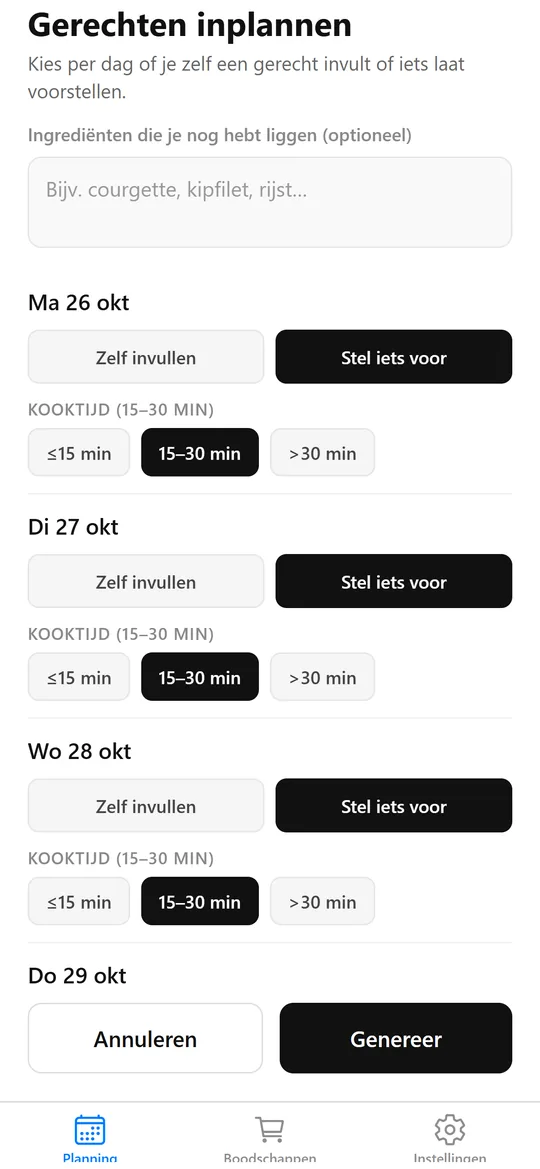
Tap the free evenings in the week plan. For each day you choose whether to fill in a dish yourself or let the app suggest one.

Per day you set the cooking time: quick, 15 to 30 minutes or longer. Still have ingredients lying around, like a courgette or chicken breast? Enter them and the app takes them into account.
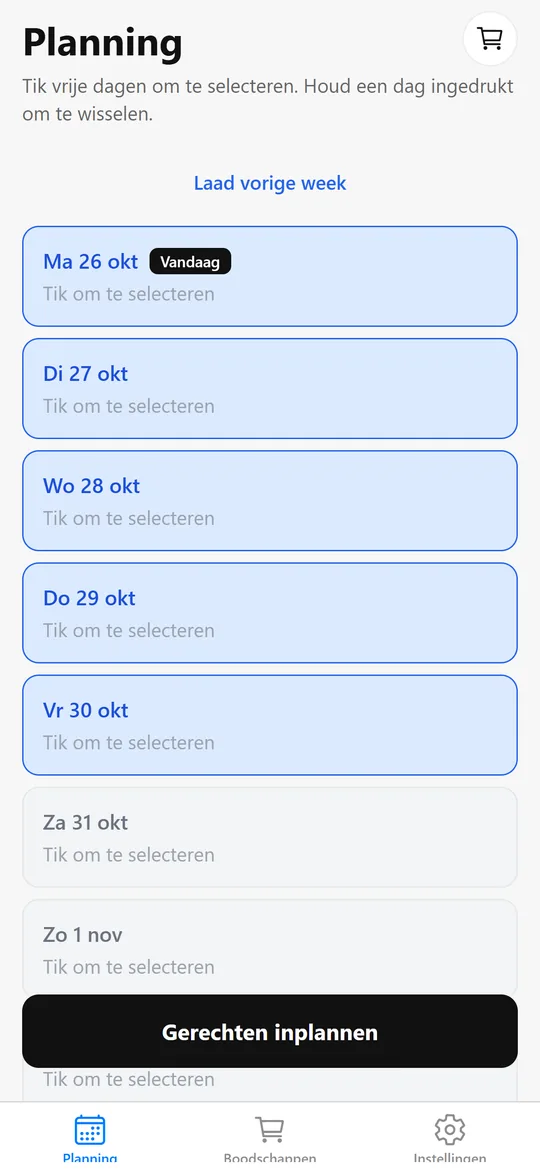
KitchenCompass screenshot: choosing days
Choosing days
KitchenCompass screenshot: planning dishes
Planning dishes

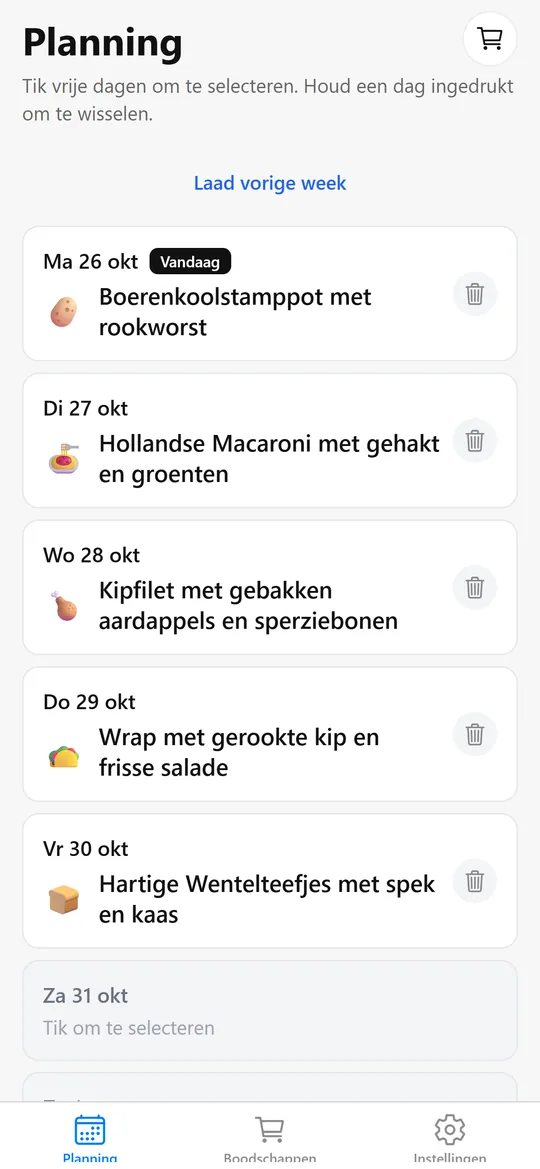
The week at a glance

All planned dishes are listed per day. With one tap you reload last week's plan, or take a dish off the plan.

KitchenCompass screenshot: week plan
Week plan

Recipes that fit

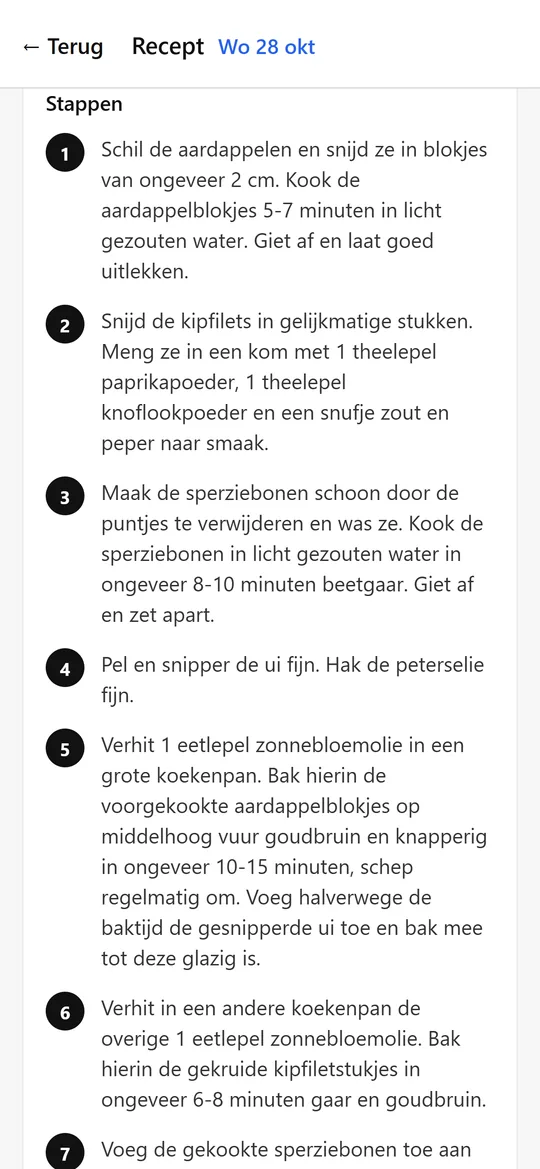
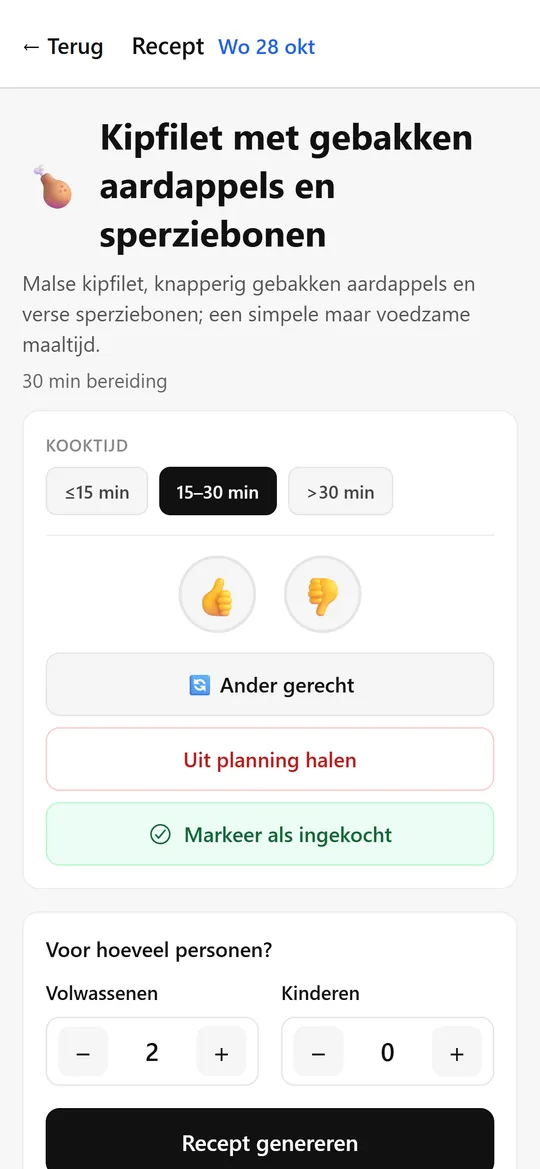
For every dish the app writes a full recipe with clear steps. You set how many adults and children you are cooking for, and the quantities adjust.

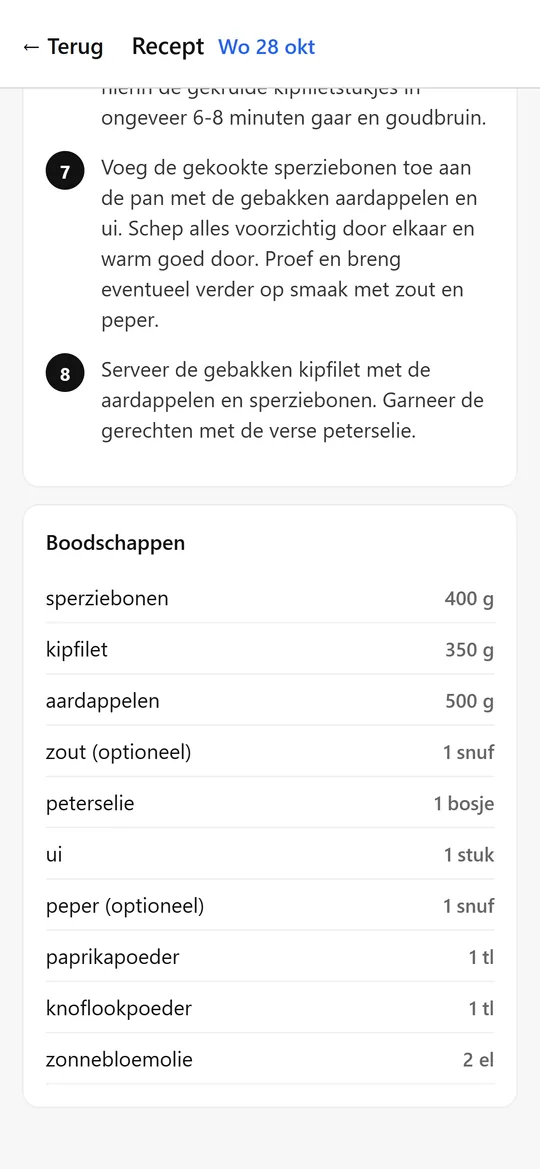
Right below the recipe you see what you need to buy for it.

KitchenCompass screenshot: recipe
Recipe
KitchenCompass screenshot: ingredients
Ingredients

Tasty or not?

A thumbs up or down gives feedback. With a thumbs down you mark which ingredient did not work, and it will not come back.

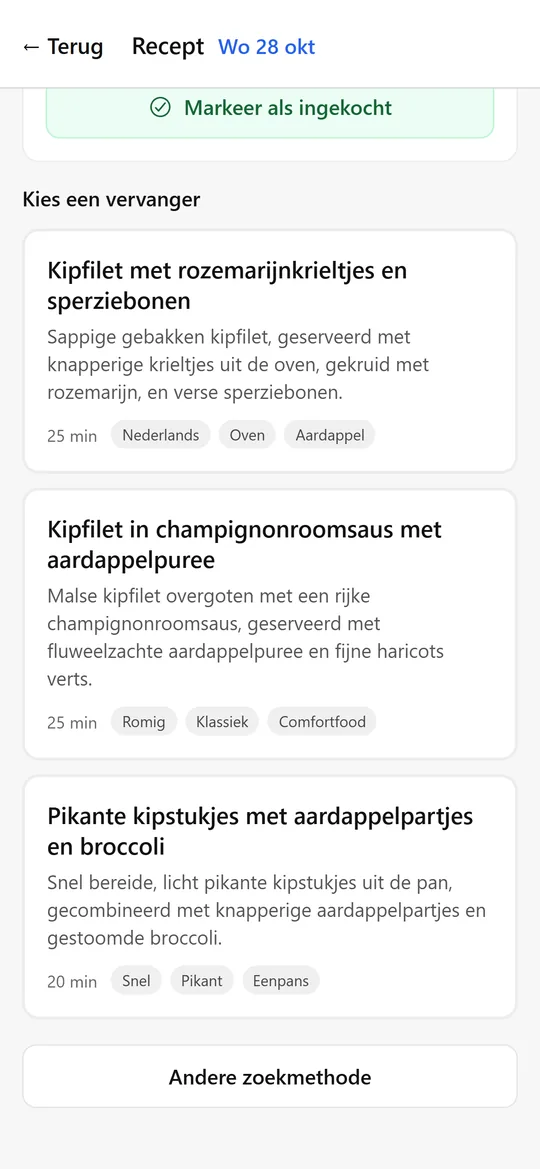
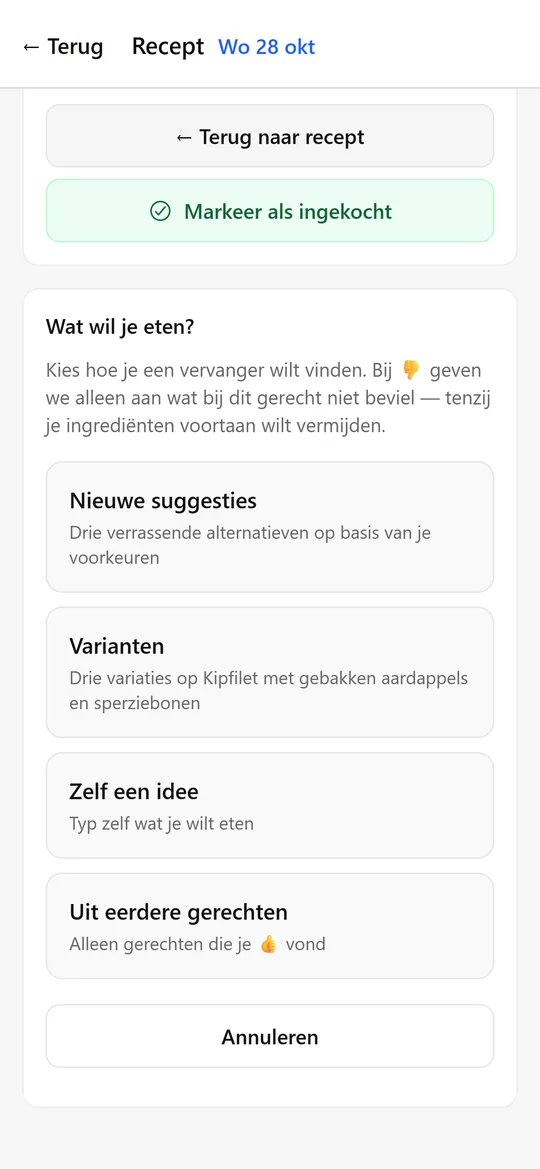
Not in the mood for a dish? Ask for a replacement: new suggestions, variations on the same dish, your own idea or a dish you liked before.

KitchenCompass screenshot: giving feedback
Giving feedback
KitchenCompass screenshot: variations
Variations

One shopping list

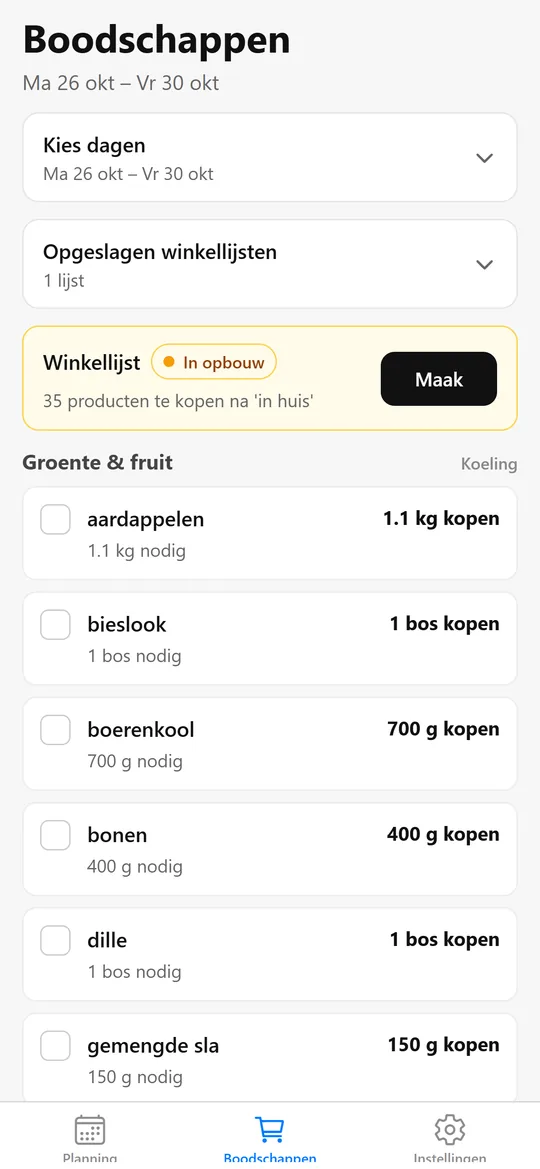
The app merges the ingredients of all chosen days into one list. You see what you need and how much to buy, and tick off what you already have at home.

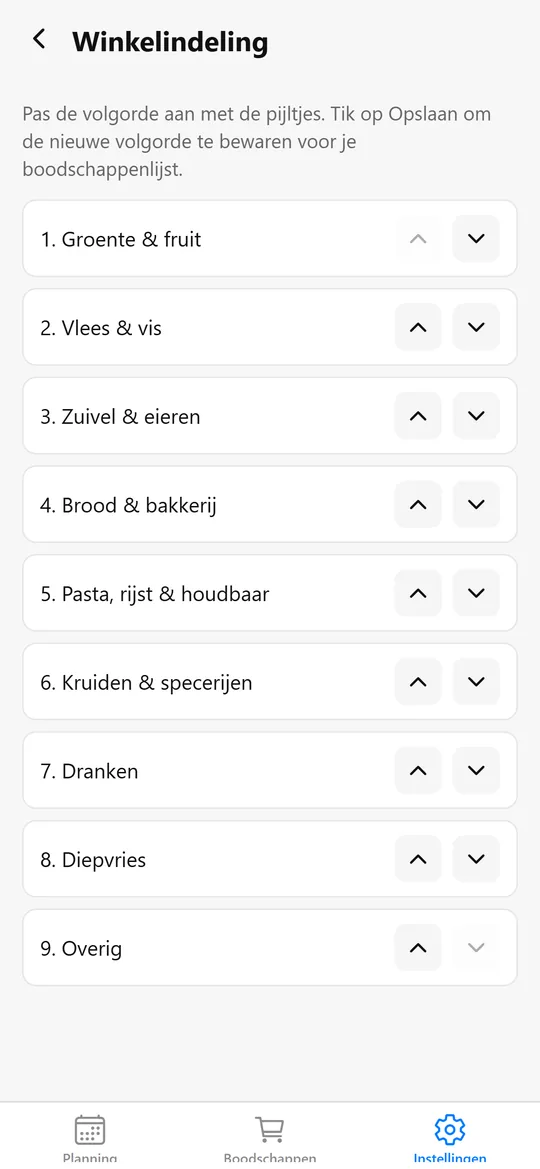
The list follows the layout of your own shop. You set that order once.

KitchenCompass screenshot: shopping list
Shopping list
KitchenCompass screenshot: shop layout
Shop layout

Your preferences

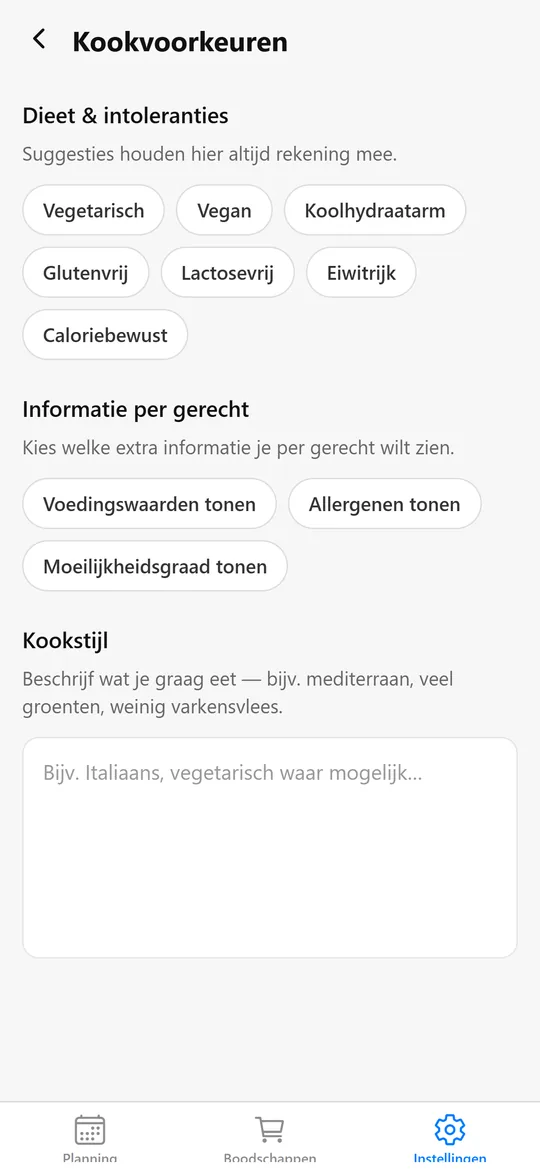
Dietary needs and intolerances, such as vegetarian, gluten-free or lactose-free, apply to every suggestion. You also choose which extra information to show per dish, such as nutritional values or allergens.

In your cooking style you describe in plain words what you like to eat, for example Mediterranean with plenty of vegetables.

KitchenCompass screenshot: cooking preferences
Cooking preferences
KitchenCompass screenshot: choosing another dish
Choosing another dish

Under the hood

App
React Native and Expo with TypeScript, one codebase for iOS, Android and web.
Data
Supabase (PostgreSQL) with row-level security. A local cache keeps the app usable on a poor connection.
AI
Supabase Edge Functions call Google Gemini, falling back to lighter models when a model is unavailable.
Family
Sign in with Google, and invite your partner to share the same plan.
Feedback
Problems and suggestions sent from the app end up as issues in GitHub automatically.

Questions about the app?

Interested in KitchenCompass, or in a similar app for your own idea? Feel free to email me.

Email me